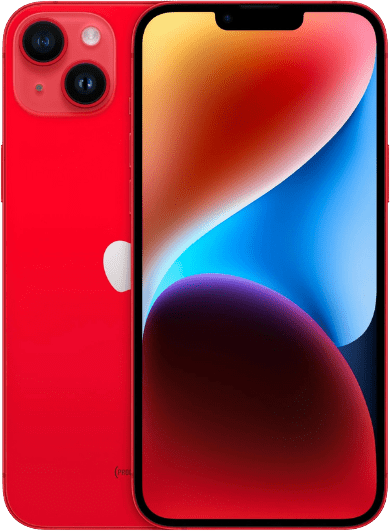
Top Quick Fixes to Fix Touch Screen iPhone Problems
Is your iPhone touchscreen unresponsive or not working properly? This can be incredibly frustrating, especially if you depend on your iPhone daily for work, communication, and entertainment in Brisbane. Whether your screen is frozen, not responding to touch, or acting erratically, iPhone Ambulance is here to help. Our expert tips and professional repair services will help you fix touch screen iPhone problems quickly and get your device working like new.
Common Causes of Unresponsive iPhone Touchscreen
Understanding why your iPhone screen is unresponsive is the first step to fixing it. Common causes include:
- Software glitches or bugs
- Outdated iOS or apps
- Physical damage to the screen or digitizer
- Faulty screen protectors or cases
- Hardware failures such as damaged connectors or components
iPhone Ambulance offers expert diagnosis to identify the exact cause and provide the right solution.
Force Restart Your iPhone to Fix Touch Screen iPhone Issues
A force restart is one of the easiest and most effective ways to fix touchscreen problems caused by software glitches. It forces your iPhone to reboot without deleting any data.
How to force restart your iPhone:
- iPhone 8 or later: Quickly press and release the Volume Up button, then the Volume Down button. Press and hold the Side (power) button til the Apple logo appears.
- iPhone 7 and 7 Plus: Press and hold both the Volume Down and Side buttons til the Apple logo appears.
- iPhone 6s or earlier: Press and hold both the Home and Side (or Top) buttons til the Apple logo appears.
Performing a force restart often restores touchscreen functionality quickly.
Clean Your iPhone Screen and Hands to Improve Touch Sensitivity
Dirt, oils, or moisture on your screen or fingers can cause your touchscreen to not respond properly.
- Use a soft, lint-free microfiber cloth to clean the screen gently.
- Make sure your hands are clean and dry before using your phone.
- Remove any moisture from the screen thoroughly.
Regular cleaning can prevent many common touch screen iPhone issues.
Remove Screen Protectors and Cases That May Affect Touchscreen Performance
Low-quality or damaged screen protectors and bulky cases can interfere with your iPhone’s touchscreen sensitivity.
- Carefully remove your screen protector and check for damage or bubbles.
- Remove your phone case, especially rugged or waterproof types, which may press on screen edges.
- Test your touchscreen after removing these accessories.
If your touchscreen works better, consider replacing accessories with high-quality, Apple-certified products.
Update iOS and Apps to Fix Touchscreen Problems
Keeping your iPhone’s software and apps up to date is essential for smooth touchscreen performance.
- Go to Settings > General > Software Update to install the latest iOS version.
- Open the App Store, tap your profile, and update all apps.
Software updates fix bugs and improve device stability, helping to resolve touchscreen issues.
Troubleshoot App-Specific Touchscreen Problems
If touchscreen issues occur only in certain apps:
- Force close the app using the app switcher and reopen it.
- Uninstall and reinstall the app from the App Store.
- Check app reviews for reports of similar problems and contact the developer if needed.
Restore Your iPhone as a Last Resort (Backup First)
If none of the above fixes work, restoring your iPhone to factory settings can fix software corruption causing touchscreen failure.
- Back up your data via iCloud or computer.
- Connect your iPhone to a Mac or PC.
- Use Finder or iTunes to restore your iPhone.
Restoring erases all data, so ensure your backup is complete.
Professional iPhone Screen Repair by iPhone Ambulance in Brisbane
If your iPhone touchscreen remains unresponsive after troubleshooting, it’s likely a hardware issue such as a damaged digitizer, faulty display, or internal component failure. iPhone Ambulance offers expert on-site iPhone screen repair services across Brisbane.
Our technicians use genuine parts and advanced tools to fix all touchscreen problems, including:
- Unresponsive or overly sensitive screens
- Cracked or shattered displays
- Hardware component replacements
We provide fast, reliable repairs at your home or workplace, saving you time and hassle. We also assist with AppleCare+ and warranty claims to ensure you get the best service.
Don’t let touchscreen problems slow you down. Contact iPhone Ambulance today for trusted, affordable iPhone repair services.
How iPhone Ambulance Fixes Your iPhone Screen:
- Force Restart – Clear software glitches quickly.
- Clean & Remove Accessories – Eliminate dirt and problematic screen protectors or cases.
- Update or Restore Software – Keep your device current or restore if necessary.
- Professional Repair – Hardware issues? We fix them fast and reliably.
Did you know? Over 90% of iPhone touchscreen problems are fixed within 30 minutes by iPhone Ambulance’s on-site repair service. Book your repair now and get back to using your iPhone without interruption.
Join thousands of satisfied Brisbane customers who trust iPhone Ambulance for expert, fast, and affordable iPhone touchscreen repairs.
Fill out the form below to book your repair now and let us restore your iPhone to its prime condition.
Related Posts
Mobile Phone Repair Ipswich: Complete Guide to Fast & Reliable Service
Key Takeaways Professional mobile phone repair services available at Riverlink Shopping Centre with 30 minutes to 2 hours turnaround time Competitive pricing ranges from $79 to $539 depending on device [...]
Phone Repair Marsden: Your Trusted Mobile Phone Expert
When it comes to phone repair Marsden residents can rely on, finding a professional service that combines expertise, reliability, and affordability is essential. At iPhone Ambulance, we provide top-notch phone [...]
Mobile Phone Repair Forest Lake: Your Ultimate Guide to Quality Service
If you're searching for reliable mobile phone repair Forest Lake, you've come to the right place. Whether you own an iPhone, Samsung Galaxy, iPad Air, or other smartphones and tablets, [...]